
An AI assistant just helped a developer at a mid-size SaaS company close a sales pipeline gap — without a single line of custom integration code. It pulled deal data from Salesforce, opened GitHub issues for the top risks, updated Confluence docs, and pinged the right Slack channel. Total setup time: one afternoon. The key ingredient wasn’t the model. It was Model Context Protocol.
MCP is the quiet infrastructure shift that’s turning AI from a glorified text box into something that actually touches your systems. And most people building with AI right now still don’t understand how it works — or why getting it wrong costs them weeks of duplicated engineering effort.
This guide covers exactly what Model Context Protocol is, how it’s structured, what changed in 2026 (and the changes are significant), and how to start adopting it without wasting your time on approaches that are already outdated.
Why Most People Get Model Context Protocol Wrong
The most common mistake people make with Model Context Protocol is treating it like a plugin system. It isn’t.
Plugins are bolt-ons — one tool added to one app, for one purpose. MCP is a protocol — a universal grammar that any AI client and any external service can both speak. The difference matters enormously if you’re building anything that needs to scale beyond a single integration.
Before MCP existed, every AI integration was a bespoke engineering project. You’d write custom function-calling schemas for your Postgres database, then write different ones for your Salesforce instance, then different ones again for GitHub — and none of them worked with each other, or transferred to a different model. According to Anthropic’s official introduction, every new integration required its own custom glue code, from scratch, every time.
The result was predictable: teams burned engineering weeks on connectors instead of actual product work.
MCP doesn’t add tools to your AI. It gives your AI a universal way to speak to everything.
That reframe isn’t semantic. It changes what’s possible — and how you architect around it.
What Model Context Protocol Actually Is (And What It Isn’t)
Model Context Protocol is an open, JSON-RPC–based standard for connecting AI applications to external tools, data sources, and workflows in a consistent, reusable way.
The official MCP documentation uses one analogy that nails it immediately: MCP is like a USB-C port for AI. Just as USB-C means your laptop doesn’t need a different cable for every peripheral, MCP means an AI client doesn’t need a different integration for every service it connects to.
What does “connecting” actually mean in practice? Through MCP, a model can call tools (executable functions like “create GitHub issue” or “run SQL query”), read resources (files, database records, API responses, logs), and use prompts (templated workflows or pre-built instruction sets). All of this happens through one standardized protocol — not a patchwork of one-off vendor APIs.
What MCP is not: it’s not a chatbot add-on, not a RAG pipeline, and not a vector search layer. It’s the connective tissue between an AI’s reasoning capability and real systems in the world.
This distinction matters for how you think about building. If you’re trying to give Claude or another model access to your internal tools, you’re not writing a plugin — you’re standing up an MCP server.
How MCP Is Actually Structured — The Three Roles You Need to Know
This is the step most tutorials skip, and it’s the one that makes everything else click.
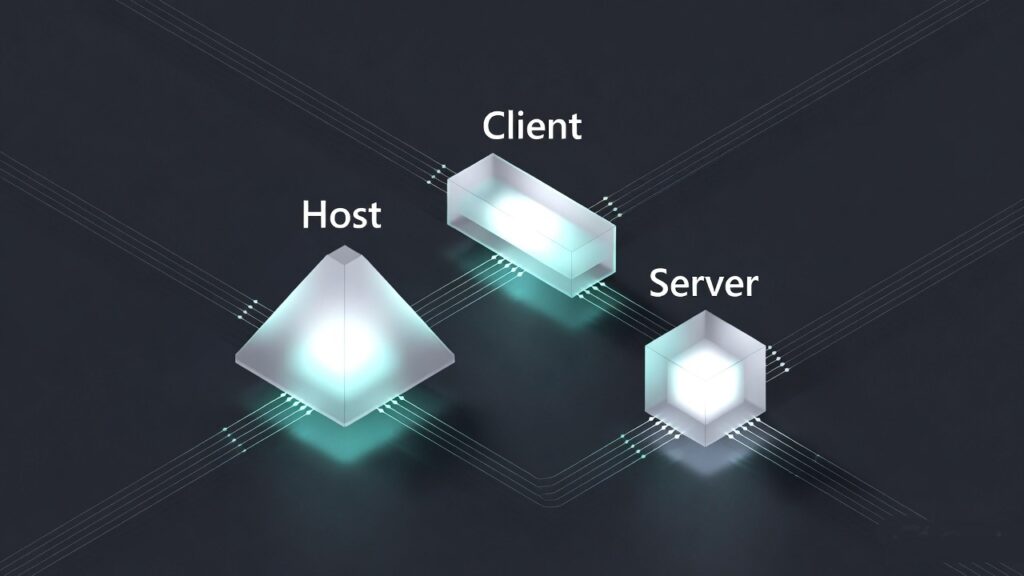
MCP has three distinct roles: Hosts, Clients, and Servers. Confuse them and your architecture gets messy fast. According to the MCP specification:
Hosts are the AI applications — Claude Desktop, ChatGPT desktop, VS Code with an AI agent, or a custom app you build. The host is what the user interacts with.
Clients are the components inside the host that speak MCP to servers. Think of them as the translation layer — they handle capability negotiation, session management, and message routing.
Servers are the programs you build or deploy that expose your data and tools via MCP. Your Postgres database wrapped in an MCP server. Your Salesforce instance behind an MCP server. Your internal reporting API — same thing.
Communication happens over JSON-RPC 2.0, typically via Streamable HTTP or stdio. Servers declare their capabilities upfront — what tools they have, what resources they expose, what prompts they offer — and clients discover these through structured negotiation, not hardcoded assumptions.
Here’s what makes this architecture powerful: once you’ve built an MCP server for your database, any MCP-aware client can use it. Claude, ChatGPT, Gemini, VS Code agents — they all speak the same protocol. You build once; every AI that supports MCP benefits.
The Four Things Every MCP Server Can Expose
Understanding what MCP servers can actually offer changes how you design them — and most people only know about tools.
Tools are the most visible capability: executable functions the model can call. A tool has a schema describing its inputs and outputs, and a description the model reads to decide when to use it. Examples: github_create_issue, salesforce_query_opportunities, run_sql_query. Tools are what most tutorials show first, and they’re the most powerful surface area.
Resources are data the model can read — not execute, just access. A file at fs://project/README.md, a database record at db://sales/opportunities/123, an API response. According to the MCP specification, resources give models structured access to content without granting execution rights — an important security distinction.
Prompts are predefined workflows or templated instructions. Think “summarize weekly sales performance from this dataset” — a repeatable, structured task you bake into the server so users or models can invoke it consistently.
Sampling is the least understood capability. It lets servers ask the model itself to reason or plan as part of a tool call — agentic behavior, with explicit user consent required. This is what enables multi-step orchestration that isn’t just sequential function calls.
Most MCP servers you’ll start with expose tools and resources. But if you’re building anything involving autonomous workflows, sampling is where the real depth lives.
What the 2026 Updates Actually Changed — And Why They Matter to You
By late 2025, MCP had gone from Anthropic’s internal standard to a multi-vendor open protocol. Then in December 2025, Anthropic donated MCP to the Linux Foundation’s Agentic AI Foundation (AAIF), alongside OpenAI and Block as founding members. That move made it a neutral standard — no single vendor controls it.
That’s the governance story. But the January 2026 technical updates are what change your day-to-day if you’re building now.
The context pollution problem got solved.
If you’ve ever tried loading 50+ tools into an AI agent’s context, you know what happens: the tool definitions alone can consume tens of thousands of tokens before any user work begins. According to research on MCP Tool Search, naively loading large tool libraries could push token overhead past 77,000 tokens per session.
Anthropic’s MCP Tool Search upgrade changed this entirely. When tool descriptions exceed roughly 10,000 tokens, MCP now automatically marks tools as “deferred” and gives the model a Tool Search capability instead. The model searches for tools by keyword or natural language when it needs them — loading only 3–5 relevant definitions at a time, roughly 3,000 tokens. Token overhead drops from ~77,000 to ~8,700 tokens — an 85% reduction. Task accuracy on Claude models jumped from 49% to 74% on some benchmarks, and from 79.5% to 88.1% on others. Tool Search is on by default once the threshold is hit. No configuration needed.
Interactive UI landed inside agent conversations.
MCP Apps, launched January 2026, lets tools return a UI handle instead of just text. The client fetches and renders it in a sandboxed iframe, with two-way JSON-RPC communication over postMessage. This means dashboards, approval forms, data visualizations, and multi-step workflows can now live inside the conversation — not linked out to an external URL. Claude web and desktop, goose, VS Code Insiders, and ChatGPT all started supporting this in early 2026.
You can now build tool-rich agents without architectural compromise.

Why MCP’s Security Model Is Non-Negotiable
This section gets skipped in almost every MCP tutorial. Don’t skip it.
MCP can mediate arbitrary data access and code execution. That’s the power. But it also means getting security wrong has consequences that scale with your integration depth.
The MCP specification defines non-negotiable principles, and if you’re building anything beyond a personal project, these are your guardrails.
User consent is explicit, not assumed. Every data source exposed, every tool activated, and every sampling call must be approved by the user. The UI must show what will happen and with which data — not a vague permission prompt.
Tool descriptions are untrusted by default. Unless a server is explicitly trusted, the model treats tool descriptions as untrusted input. Input validation errors are reported as tool-execution errors so the model can self-correct — not as protocol errors that halt everything.
Auth follows OIDC/OAuth 2.0. The spec has a strong bias toward OAuth with incremental scopes, DPoP, and workload identity federation. No hardcoded tokens. The November 2025 changelog added OpenID Discovery support and OAuth Client ID metadata, making this easier to implement correctly.
The 2026 roadmap’s enterprise track is addressing the gaps that regulated industries actually care about: audit trails, compliance-ready logging, SSO integration, gateway/proxy behavior, and configuration portability across MCP clients. If you’re in fintech, healthcare, or any regulated vertical, this track is worth watching closely — the 2026 MCP Roadmap is openly inviting large adopters to help define it.
Build security in from the start. Retrofitting auth and consent to an existing MCP server is significantly harder than getting it right on day one.
How to Get Started With Model Context Protocol Today
You don’t need to understand every layer of the spec to ship something useful. Here’s the smallest viable path.
1. Pick your role first. Are you a server author (wrapping your own DB, API, or internal tool), a client builder (creating an app that connects to MCP servers), or an MCP App builder (building interactive in-chat UIs)? Most people start as server authors. Know which one you are before you touch code.
2. Start with the official SDKs and existing server examples. The MCP GitHub organization has Python and TypeScript SDKs plus reference implementations for GitHub, Slack, Google Drive, and Postgres. Read one reference server end-to-end before you write your own — the patterns it establishes save hours. Use MCP Inspector to test locally.
3. Don’t shy away from large tool sets. Pre-2026, exposing 50+ tools was an architectural liability. With Tool Search now on by default, you can build tool-rich servers without engineering around context limits. Design your tool library for completeness; let the protocol handle the token management.
4. Add MCP Apps where text output falls short. If your use case involves approvals, data entry, dashboards, or any UX that’s genuinely awkward in plain text, MCP Apps are the right answer. A sandboxed iframe with two-way RPC communication is a dramatically better user experience than asking someone to parse a wall of structured text output.
5. Wire in auth and logging before you go to production. OIDC/OAuth from the start. Explicit user consent for sensitive tools. Structured logging that you can actually audit. The pento.ai year-in-review of MCP makes clear that teams who treated security as an afterthought in 2024–2025 spent significant time retrofitting it in 2025–2026. Don’t repeat that pattern.

The most expensive thing you can do with MCP right now is wait until you understand everything before you start.
| Step | What You’re Doing | Time to First Working Output |
|---|---|---|
| 1. Choose your role | Server author / client builder / App builder | 15 minutes |
| 2. Clone a reference server | Read GitHub, Slack, or Postgres example end-to-end | 1–2 hours |
| 3. Run MCP Inspector | Test your server locally before connecting to any client | 30 minutes |
| 4. Connect to Claude Desktop | Validate real tool calls with a real model | 1–2 hours |
| 5. Add auth (OAuth) | OIDC flow, incremental scopes, no hardcoded tokens | Half day |
Most developers who commit to this path have a working server in production within a week.
What the 2026 MCP Roadmap Tells You About Where This Is All Going
The official 2026 MCP Roadmap names four priority areas. Read between the lines and they tell you something important about where AI infrastructure is heading.
Transport and scalability work means stateless, horizontally-scaled server clusters — the kind of architecture enterprise deployments need. MCP Server Cards (structured .well-known metadata) mean clients will be able to discover what a server offers without connecting first, which matters enormously for registries and marketplaces.
Agent lifecycle semantics (the Tasks SEP) means durable, long-running jobs with retry logic and result retention. That’s not a developer convenience feature — that’s the infrastructure required for AI agents to be trusted with real business processes.
Governance maturation — formal contributor ladders, delegation models for working groups, quarterly charters — signals that MCP is being run like a serious open standard, not a company’s side project. That has compounding implications for adoption confidence.
Enterprise Readiness is the most open-ended track, and deliberately so. Audit trails, SSO, gateway behavior, configuration portability across clients — this is the checklist that regulated industries need before committing to MCP as infrastructure. The roadmap is explicitly inviting enterprise adopters to lead this work.
On the horizon for 2027: event-driven triggers (webhooks so servers can push updates to clients), streaming incremental results, reference-based payloads for large outputs, and possibly MCP-native billing and metering for paid server marketplaces. The medium.com analysis of MCP’s emergence as a universal standard called this trajectory early — and it’s playing out exactly as described.
The pattern across all four roadmap areas is the same: MCP is being built to be the agent infrastructure layer, not just a convenient integration protocol.

Final Thoughts on Model Context Protocol
Model Context Protocol isn’t a feature you add to an AI project. It’s the foundation you build AI projects on top of — and in 2026, that foundation has matured faster than most people tracking the space have caught up with. The Linux Foundation governance, the Tool Search breakthrough, MCP Apps, and the enterprise roadmap aren’t incremental updates. They’re the protocol crossing the threshold from “interesting experiment” to “serious infrastructure.”
If you’re building anything with AI that touches real systems — internal tools, customer-facing workflows, data pipelines, business automation — the question isn’t whether to adopt Model Context Protocol. It’s whether you want to build that infrastructure yourself, differently, from scratch, for each model you ever use. The USB-C analogy understates it. This is closer to the moment TCP/IP became the default — and everyone who built before it standardized had to eventually choose between rebuilding or being left behind.